
What is Quash?
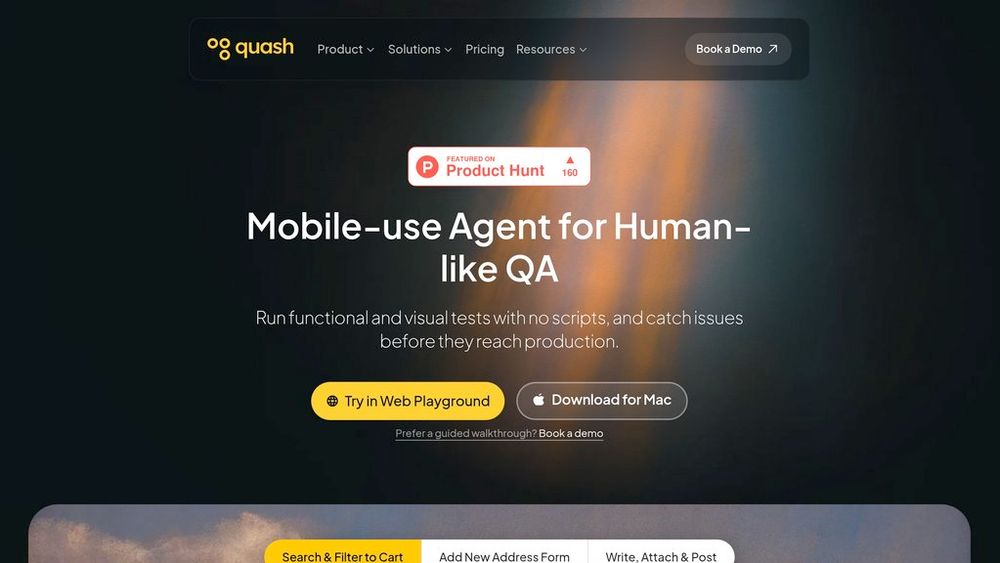
Quash is a comprehensive mobile application testing platform that transforms QA workflows by enabling teams to create and execute tests using plain language prompts. The platform eliminates traditional script-based testing by allowing users to describe test scenarios in natural language, which Quash then converts into executable actions across Android, iOS, and cross-platform applications. Built with self-healing capabilities, tests automatically adapt to UI changes, loading states, and dynamic screens, significantly reducing maintenance overhead. Quash integrates seamlessly with device farms, CI/CD pipelines, and popular tools like Jira, TestRail, and Slack, providing comprehensive test management from generation to execution to reporting.
Key Features Natural Language Test Execution
Create and run mobile tests using conversational prompts without writing scripts or defining selectors. The platform interprets intent and executes taps, swipes, navigation, and form interactions automatically.
Self-Healing Test Adaptation
Tests automatically adjust to UI changes, loading states, and dynamic content during execution, eliminating brittle test failures and reducing maintenance effort across releases.
Multi-Platform Testing Coverage
Execute functional, regression, and visual tests across Android, iOS, Flutter, React Native, and hybrid applications on real devices, emulators, or cloud device farms.
Intelligent Test Generation
Generate test cases directly from PRDs, Figma designs, and codebase context. The platform analyzes user flows and automatically creates comprehensive test suites aligned with business logic.
Unified Test Management
Manage entire QA workflows in one platform with test suite organization, version history tracking, scheduled executions, role-based access control, and centralized quality dashboards.
Context-Rich Debugging Reports
Receive detailed execution reports with screenshots, session replays, crash logs, network data, and root cause analysis. Results integrate directly into Git PRs, Slack, and CI/CD pipelines.
Use Cases Rapid Regression Testing : QA teams can execute comprehensive regression suites across multiple devices and OS versions simultaneously without maintaining fragile test scripts. Non-Technical Testing : Product managers and designers can validate features and user flows directly using natural language commands, enabling earlier quality checks without engineering dependency. CI/CD Pipeline Integration : Development teams can automate mobile testing within continuous integration workflows, receiving instant feedback on pull requests with detailed failure analysis. Cross-Platform App Validation : Teams building Flutter or React Native applications can ensure consistent behavior and UI integrity across both Android and iOS with unified test execution. Early Bug Detection : Shift-left testing approach allows teams to generate test cases from design files and requirements before development completes, catching issues during earlier stages. FAQs
- Do I need coding knowledge to use Quash?
- What happens when my app UI changes?
- Can Quash test on real devices?
- Which mobile platforms does Quash support?
- How does Quash integrate with existing workflows?
- What information do test reports include?
- Is there a free plan available?
- Can Quash generate test cases automatically?