

What is Conductor?
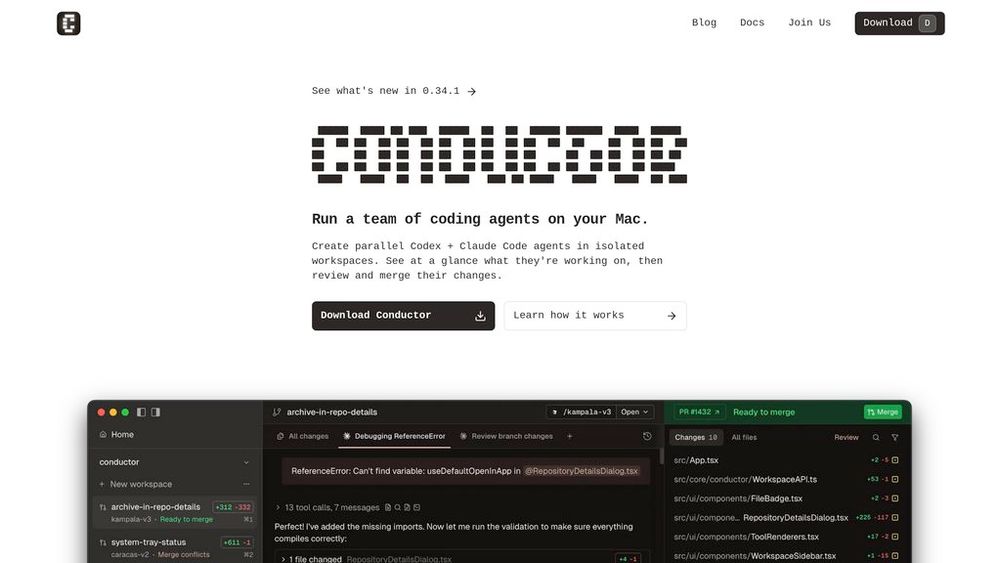
Conductor is a Mac application designed to run multiple coding agents simultaneously, each working in isolated environments. Built by Melty Labs, it enables developers to deploy Claude Code and Codex agents across separate git worktrees and branches, allowing parallel development tasks without conflicts. The platform provides a centralized dashboard where developers can monitor all active agents, review their code changes, and merge completed work. With its focus on orchestration rather than replacement, Conductor transforms the traditional single-threaded AI coding workflow into a multi-agent development system where developers maintain oversight while agents handle implementation tasks.
Key Features Parallel Agent Orchestration
Run multiple Claude Code and Codex agents simultaneously, each operating in isolated git worktrees and branches to prevent conflicts while working on different tasks.
Centralized Workspace Management
Monitor all active agents from a unified dashboard, see what each agent is working on, and quickly identify which tasks need attention or review.
Git Integration & Code Review
Automatic git worktree management with diff-first review interface, allowing developers to easily examine, approve, and merge agent-generated code changes.
Flexible Workspace Creation
Create new workspaces from specific branches, GitHub pull requests, or Linear issues, with keyboard shortcuts and IDE integration for seamless workflow transitions.
Native API Integration
Works with existing Claude Code and Codex authentication methods, whether through API keys or subscription plans, without additional configuration overhead.
Use Cases Multi-Feature Development : Developers can work on multiple features simultaneously by assigning each agent a separate task, dramatically reducing the time spent context-switching between different parts of a codebase. Bug Fixing & Refactoring : Deploy agents to handle multiple bug fixes or refactoring tasks in parallel while maintaining clear separation and easy review of each change. Cross-Repository Projects : Full-stack developers can manage agents working across multiple repositories simultaneously, maintaining a single view of all development activities. Experimental Development : Test different implementation approaches by running multiple agents with varied instructions, then compare and merge the most successful solution. FAQs
- Is Conductor free to use?
- What platforms does Conductor support?
- Which coding agents work with Conductor?
- How does Conductor handle authentication for AI agents?
- Does Conductor use git worktrees?
- Can I use Conductor with local repositories?
- Can I open workspaces in my preferred IDE?