
What is Hugo?
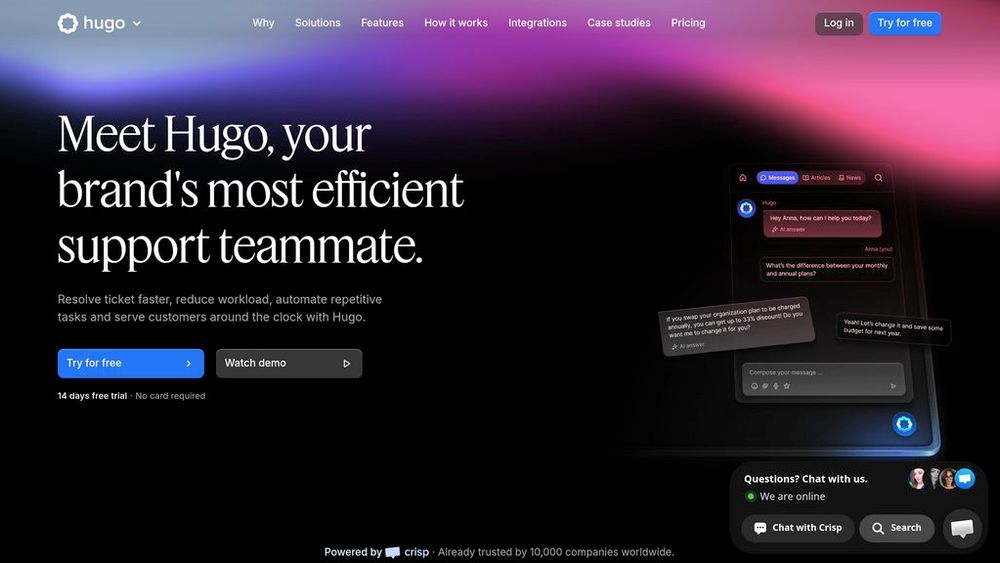
Hugo is a next-generation support agent that helps customer service teams resolve tickets faster, reduce workload, and provide 24/7 assistance. Designed for real-world operations, it can handle complex, multi-turn conversations, pull live context from your business tools, and decide when to act autonomously or involve a human. Hugo runs on European infrastructure with GDPR-compliant safeguards, and offers a no-code interface so teams can deploy, test, and refine their support automation in minutes.
Key Features Autonomous Multi-Channel Support
Handles conversations across web, in-app, and messaging channels as a single agent, keeping context and history consistent throughout the customer journey.
Deep Integrations and Real-Time Context
Connects to your helpdesk, knowledge base, CRM, and other tools via the Model Context Protocol (MCP), allowing Hugo to read and act on live business data instead of static scripts.
No-Code Setup and Workflow Builder
Teams can upload documents, configure routing rules, and design complex support flows using a visual, no-code interface—no engineering support required.
Smart Escalation and Human Handoff
Understands when an issue needs a person, then escalates with full conversation context so human agents can step in seamlessly without customers repeating themselves.
Model Flexibility and Control
Supports multiple leading language models, including options like Claude, GPT, Llama, or your own model, so you can balance cost, quality, and compliance while staying in control of tone and behavior.
Enterprise-Grade Security and EU Hosting
Protects customer and company data with strong encryption, secure APIs, access controls, and European-based hosting built to meet strict privacy and compliance standards.
Use Cases Customer Support Automation : Automate a large share of incoming support conversations, from FAQs to common troubleshooting flows, freeing human agents to focus on edge cases and high-value tasks. Ticket Triage and Routing : Classify, prioritize, and route tickets based on intent, urgency, and customer profile so each request reaches the right queue or operator with minimal manual work. Self-Service Help and Onboarding : Turn existing documentation, FAQs, and product guides into an interactive assistant that guides users step by step instead of making them search static articles. Agent Assist During Live Conversations : Support agents with suggested replies, knowledge lookups, and next best actions in real time, improving response quality and reducing handling time. 24/7 Global Support Coverage : Provide always-on support across time zones, handling routine questions and simple operations outside business hours while escalating important conversations to on-call teams. Support Operations Insights : Analyze conversation data to track resolution rates, identify knowledge gaps, and continuously refine support workflows and documentation. FAQs
- What is Hugo?
- Who is Hugo for?
- Do I need developers to set up Hugo?
- How does Hugo connect to my existing stack?
- Can humans still take over conversations?
- Is Hugo GDPR-compliant?
- Which models does Hugo use?
- How does pricing work?