
What is Craft Agents?
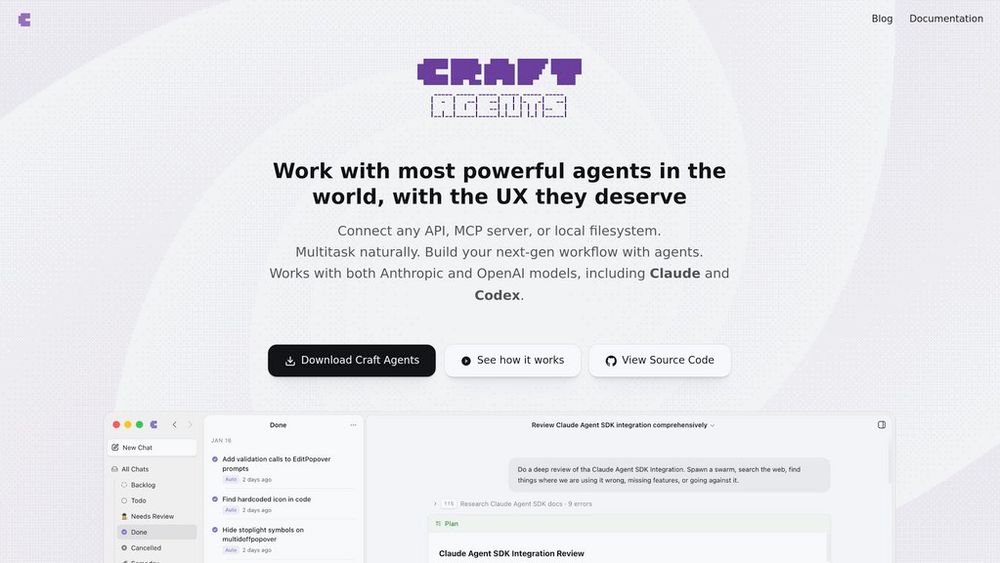
Craft Agents is an open-source desktop application built on Claude's capabilities that provides a unified interface for AI agent interactions. Unlike traditional code-centric tools, it offers a document-style workflow where users can manage multiple concurrent tasks, connect to various sources (GitHub, Slack, Calendar, local files), and control agent autonomy through flexible permission modes. Everything runs locally with encrypted credential storage, and the platform supports the Model Context Protocol (MCP) for seamless integrations. The interface treats conversations as persistent sessions that can be organized, flagged, and assigned workflow statuses.
Key Features Permission-Based Autonomy Control
Three distinct modes (Explore, Ask to Edit, Execute) let users control agent behavior from read-only research to full autonomous execution, switchable instantly via keyboard shortcuts.
Multi-Source Workflow Integration
Connects to GitHub, Calendar, Slack, local filesystem, and any MCP server or REST API within unified conversations, eliminating context-switching between tools.
Skills and Workspace System
Reusable instruction templates invokable with @mentions, combined with isolated workspaces that maintain separate sources, credentials, and conversation histories.
Document-Centric Sessions
Inbox-style interface treating conversations as manageable documents with drag-and-drop file support, workflow statuses, and full session history search.
Local-First Architecture
All data and credentials stored locally with AES-256-GCM encryption, requiring explicit approval for sensitive operations like file modifications or command execution.
Use Cases Cross-Platform Development Workflows : Developers can manage code reviews, GitHub issues, documentation updates, and deployment tasks in single conversations without switching between terminals and interfaces. Research and Analysis Projects : Researchers use Explore mode to safely investigate documents, data sources, and external APIs, reviewing agent-generated plans before committing to execution. Content and Documentation Management : Technical writers and content teams leverage Skills to standardize workflows for document creation, editing, and cross-referencing across multiple sources. Automated Task Orchestration : Teams build custom agents that connect internal tools, databases, and communication platforms to automate repetitive workflows across their stack. Personal Productivity Hub : Individuals coordinate calendar management, file organization, email drafting, and information retrieval through natural language in a unified workspace. FAQs
- Is Craft Agents completely free to use?
- What's the difference between Explore, Ask to Edit, and Execute modes?
- Can I use Craft Agents without coding knowledge?
- How does Craft Agents store my credentials and data?
- What are Skills and how do I create them?
- Can I connect Craft Agents to my company's internal tools?
- Does Craft Agents work offline?
- How is this different from Claude Code or other AI coding assistants?